Reverse Proxy Installation
Certificate
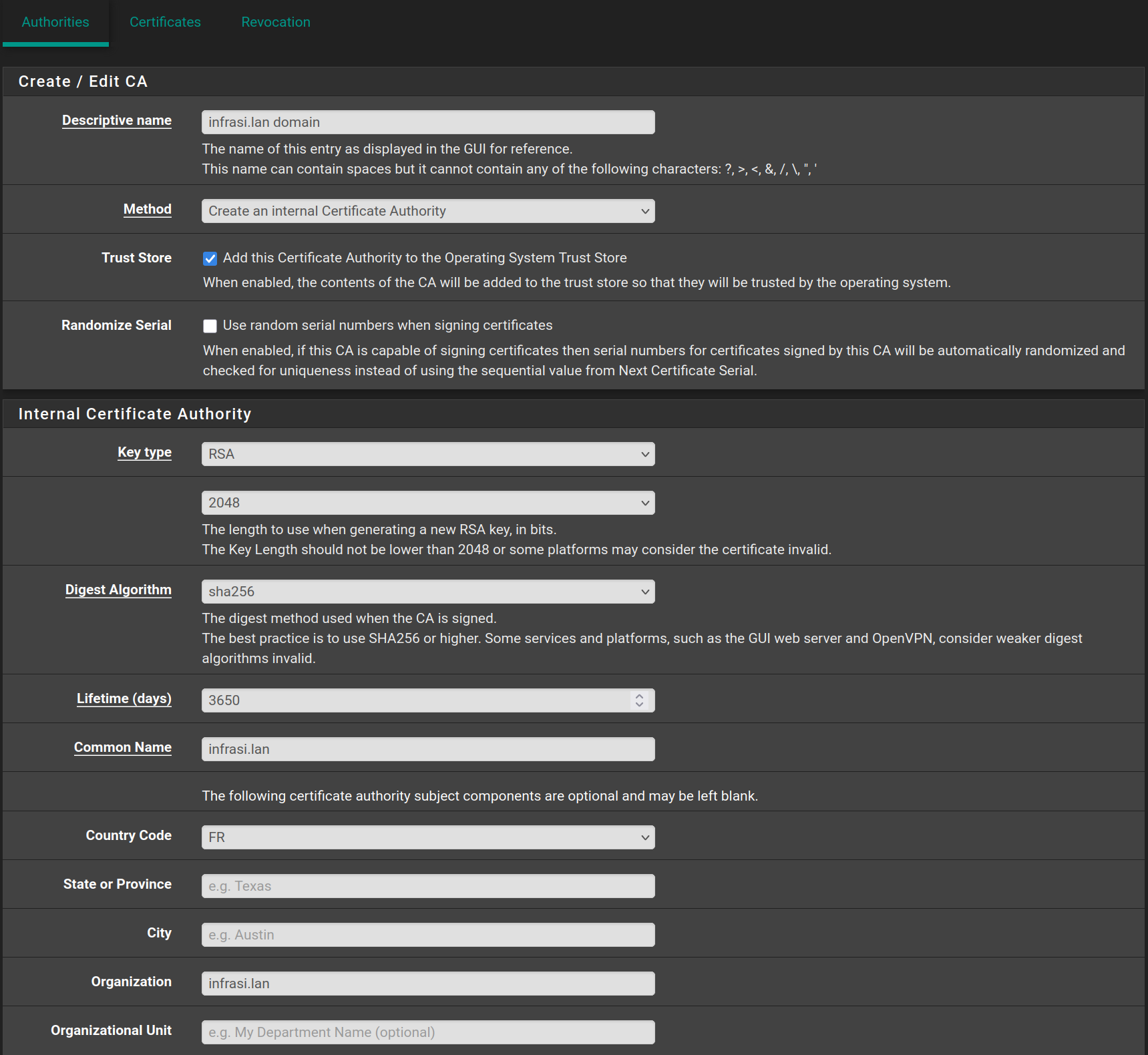
In the pfSense web configurator, go to System > Certificates > Authorities and click on Add, then fill it with the following values and click on Save

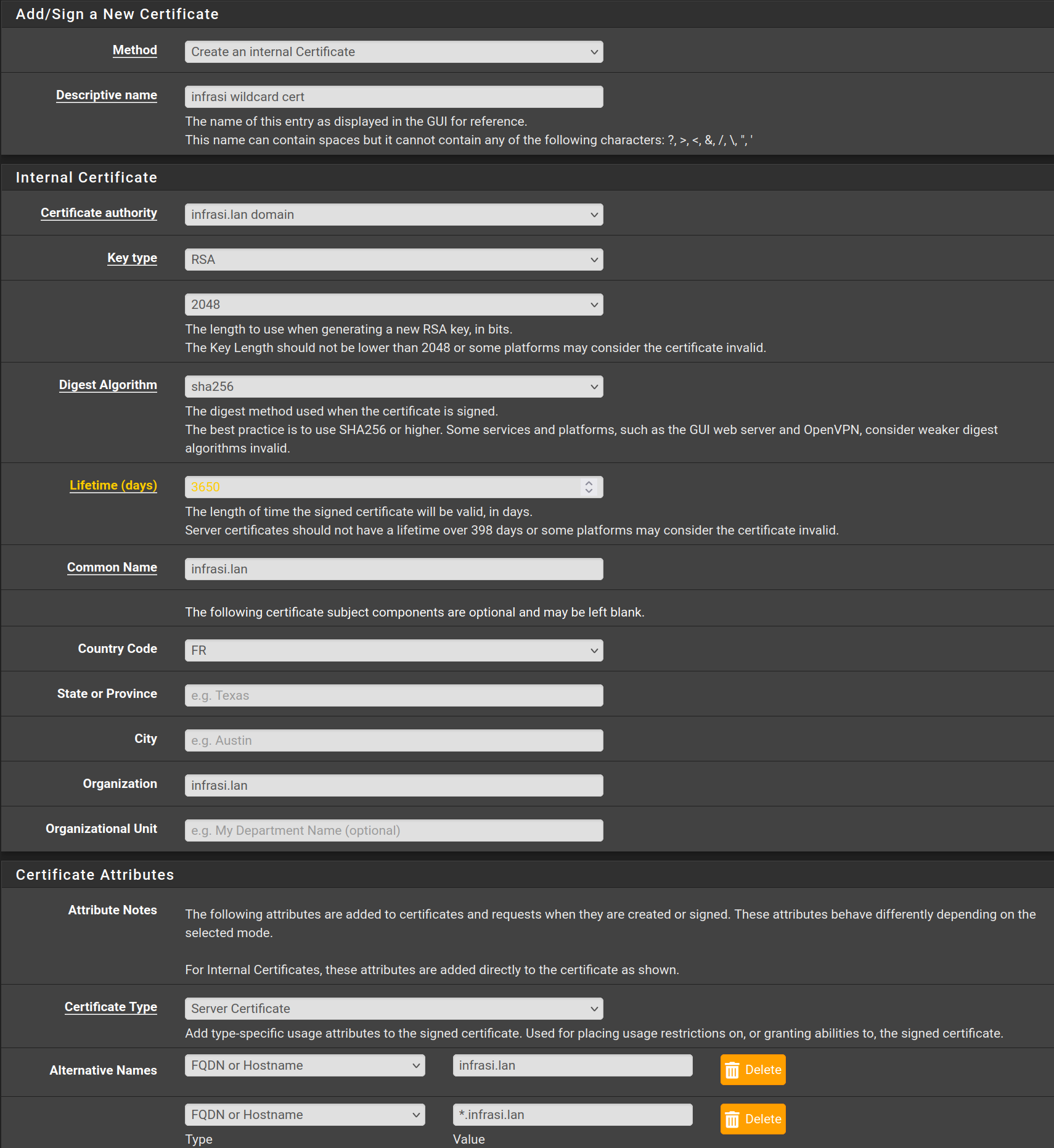
Then go to Certificates and click on Add/Sign then fill the form with the following values and click on Save

HAProxy
Go to System > Package Manager > Available Packages and search for HAProxy and click on Install

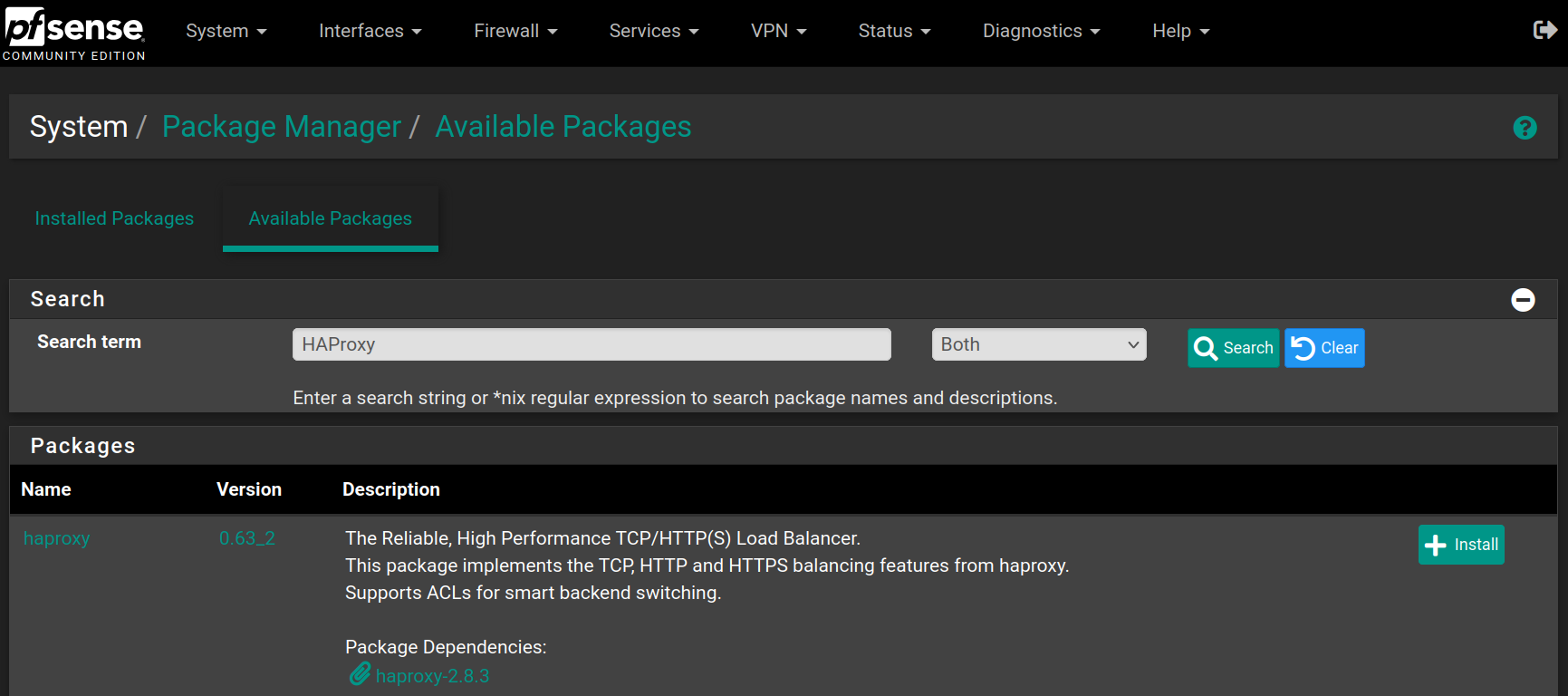
Click on Confirm to begin the installation


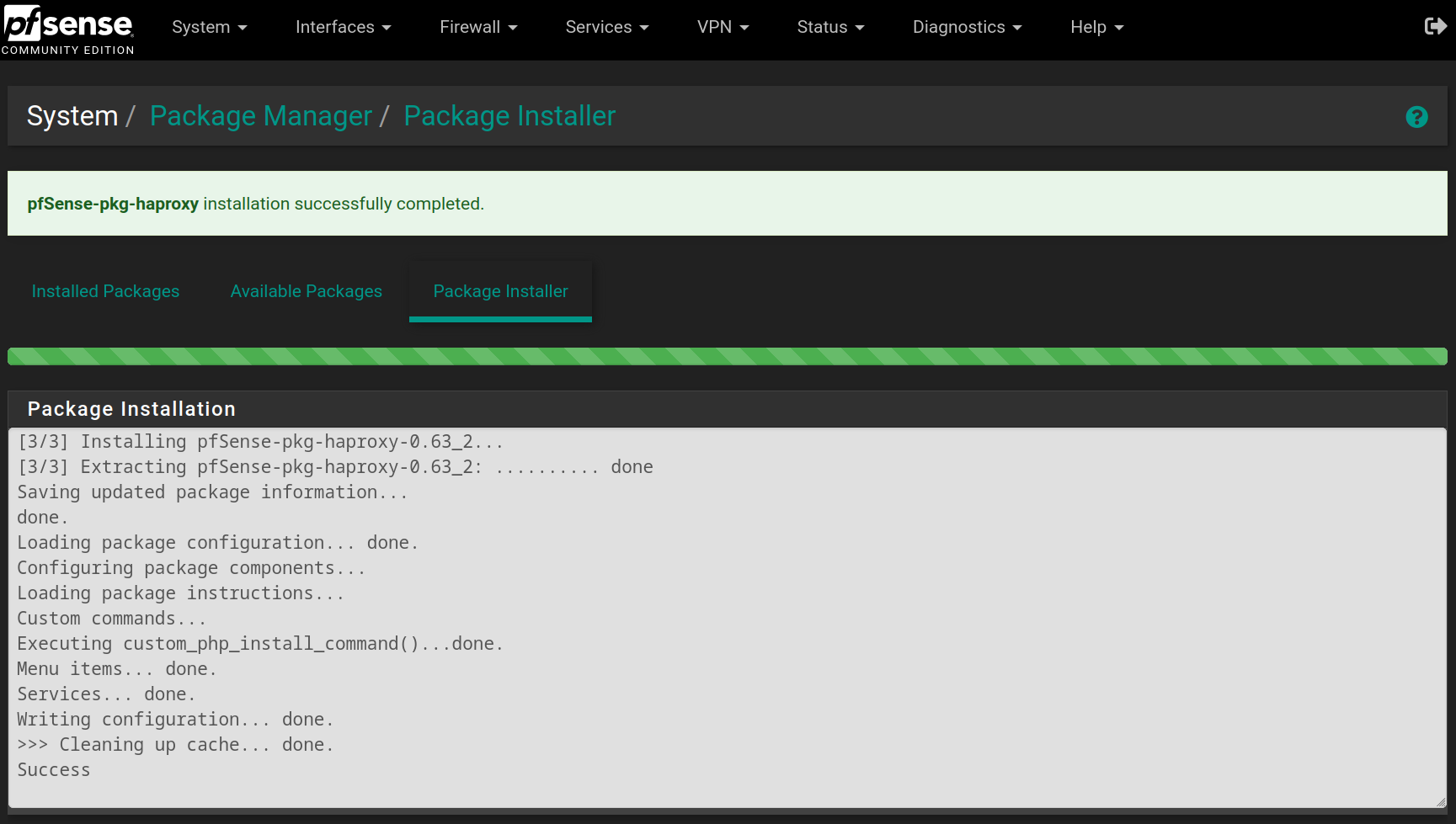
When the installation is complete, you will have the following result

Go to Services > HAProxy > Backend and click on  , then fill the form with the following values and click on
 Save

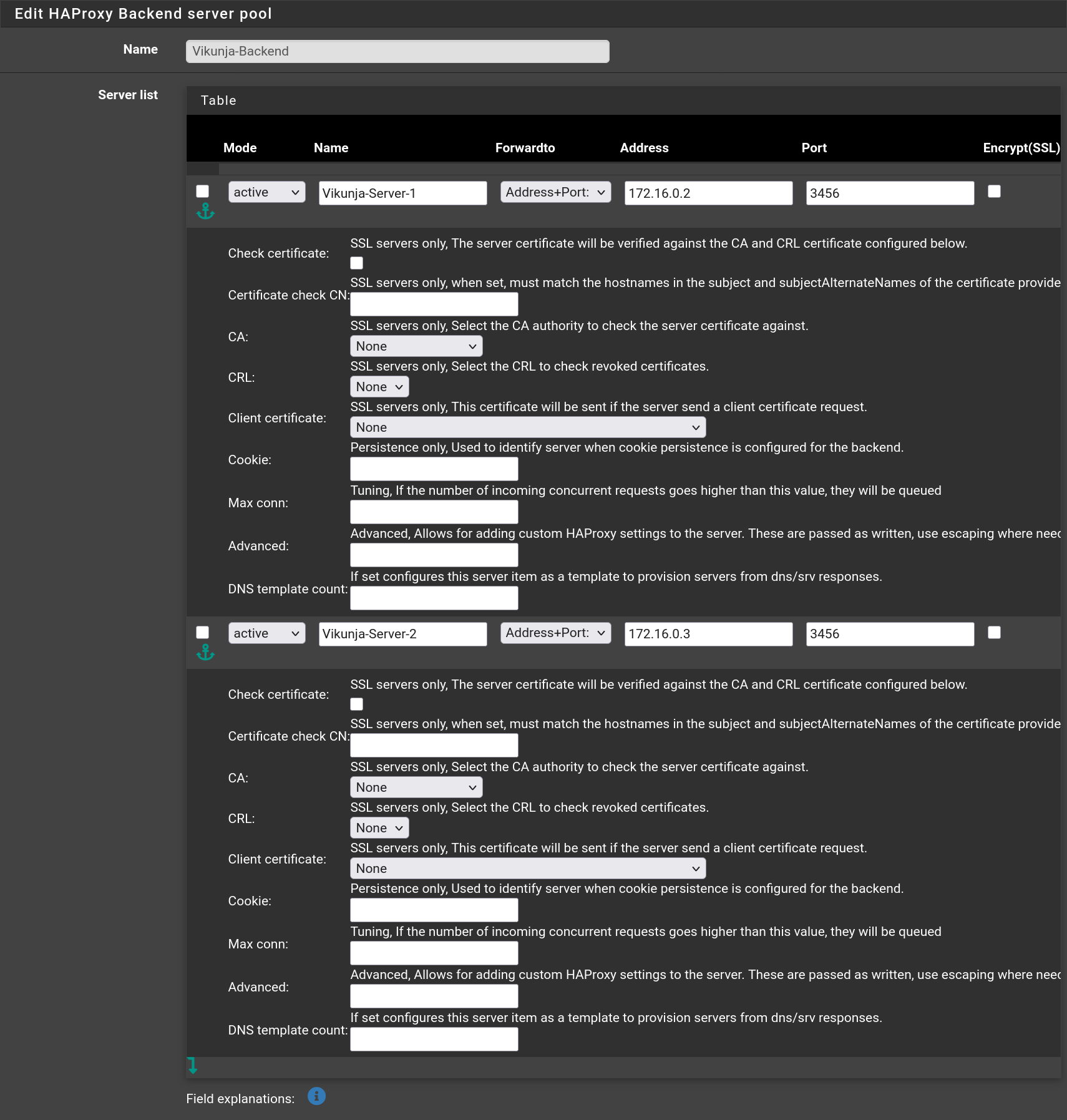

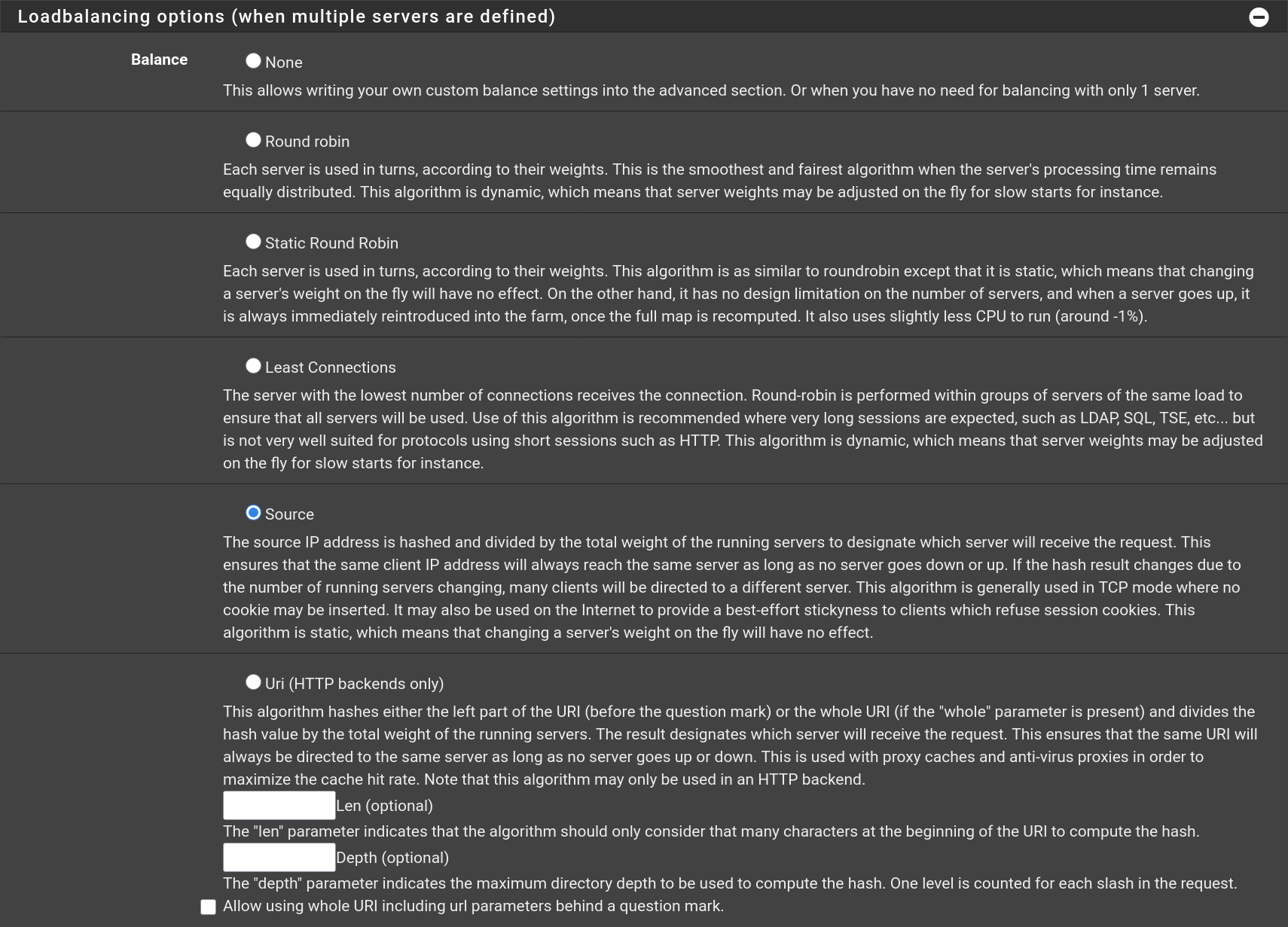

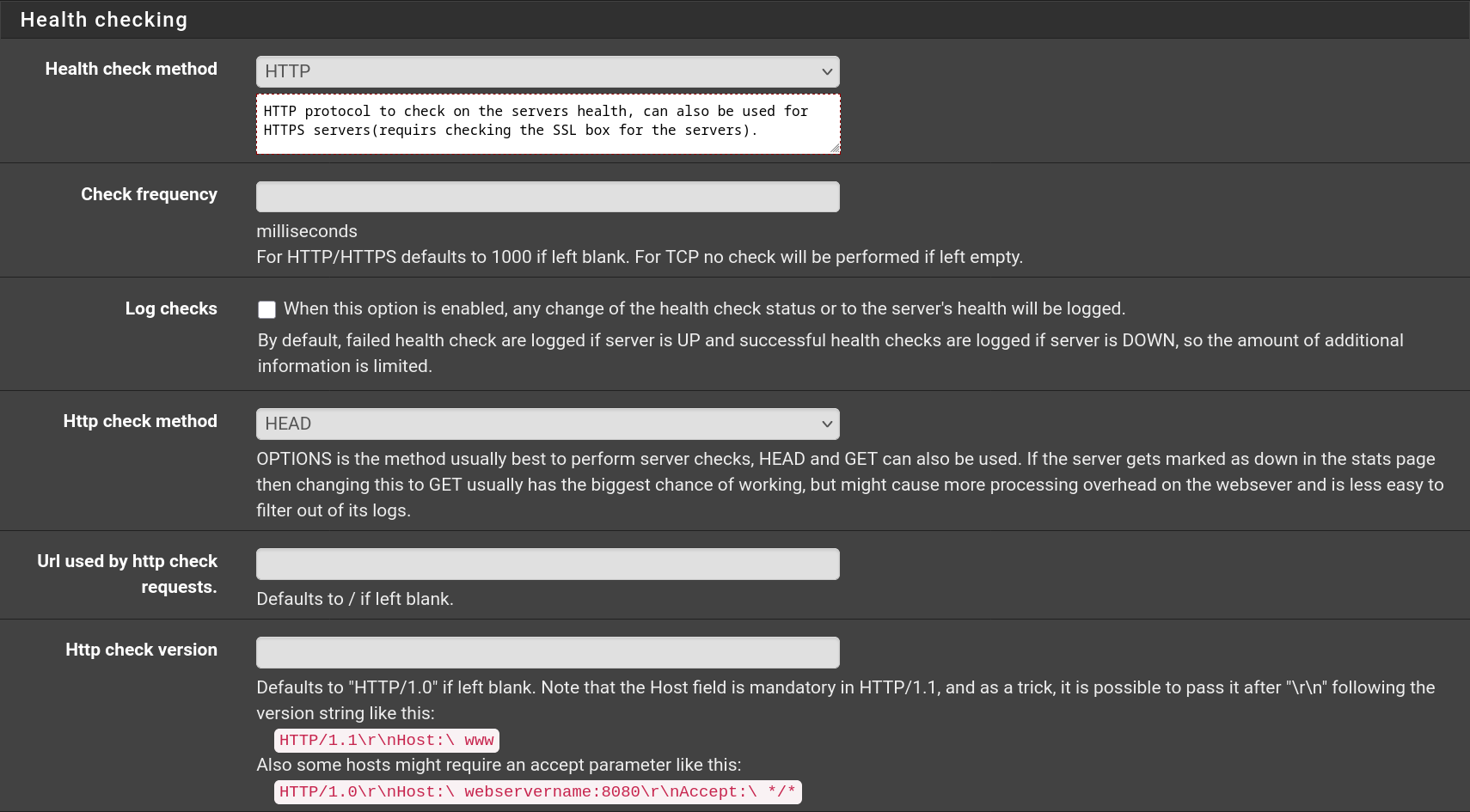
Do the same for Wiki.js with the port being 3000 instead of 3456.

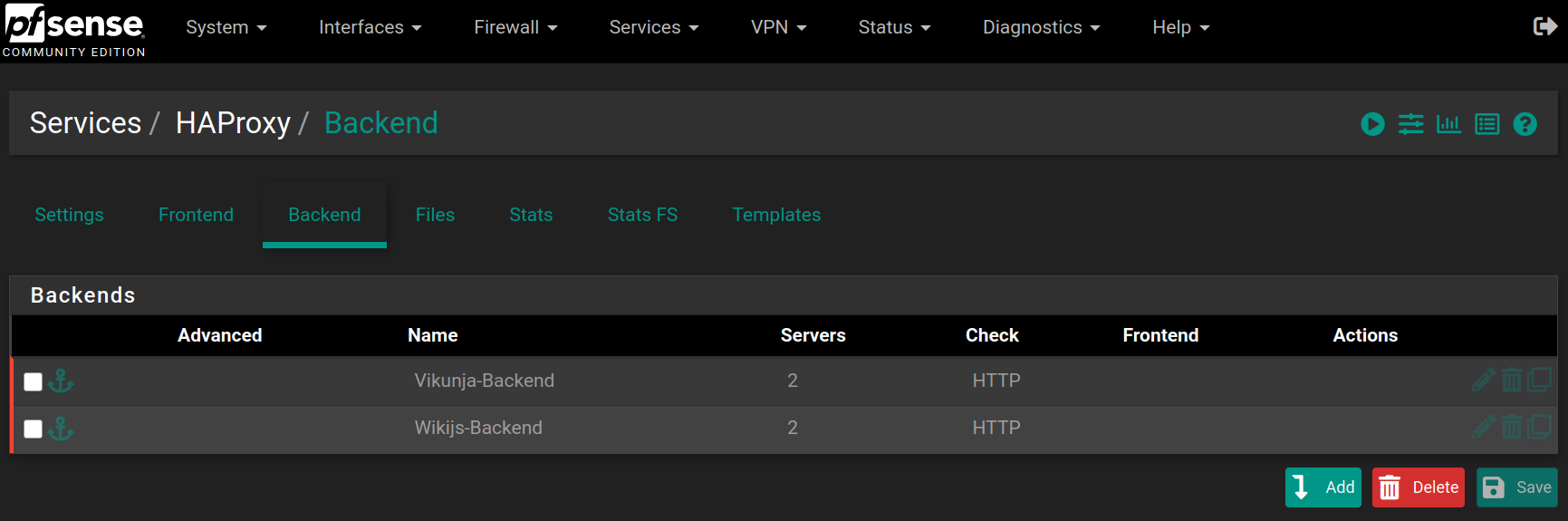
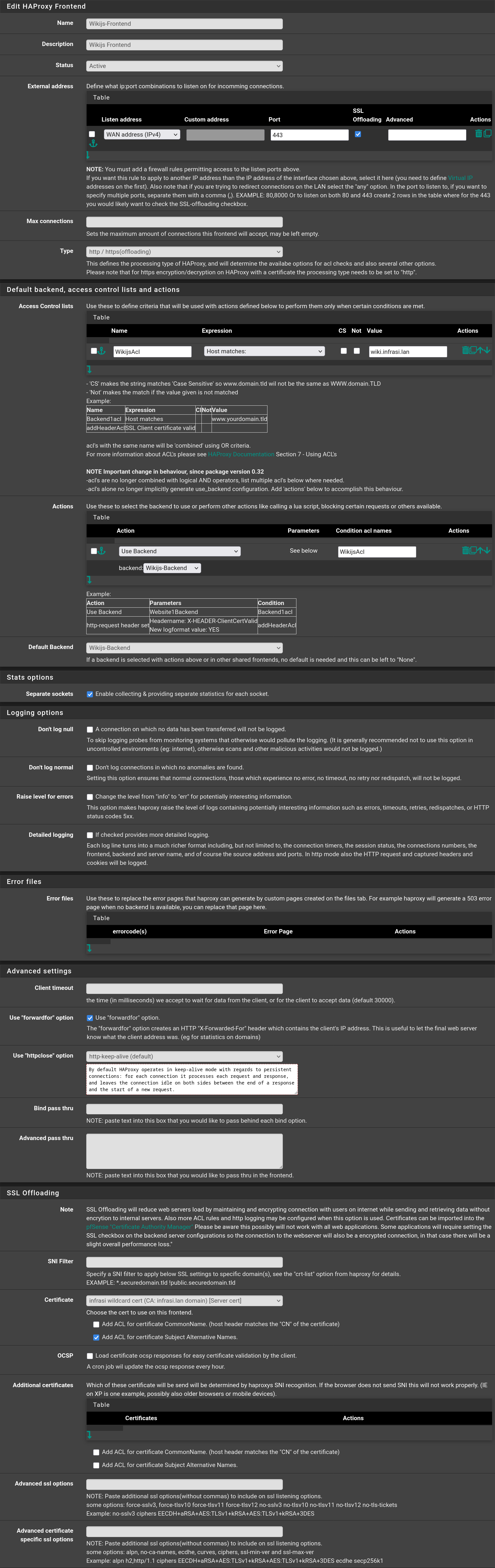
Then go to Frontend and click on , then fill the form with the following values and click on Save

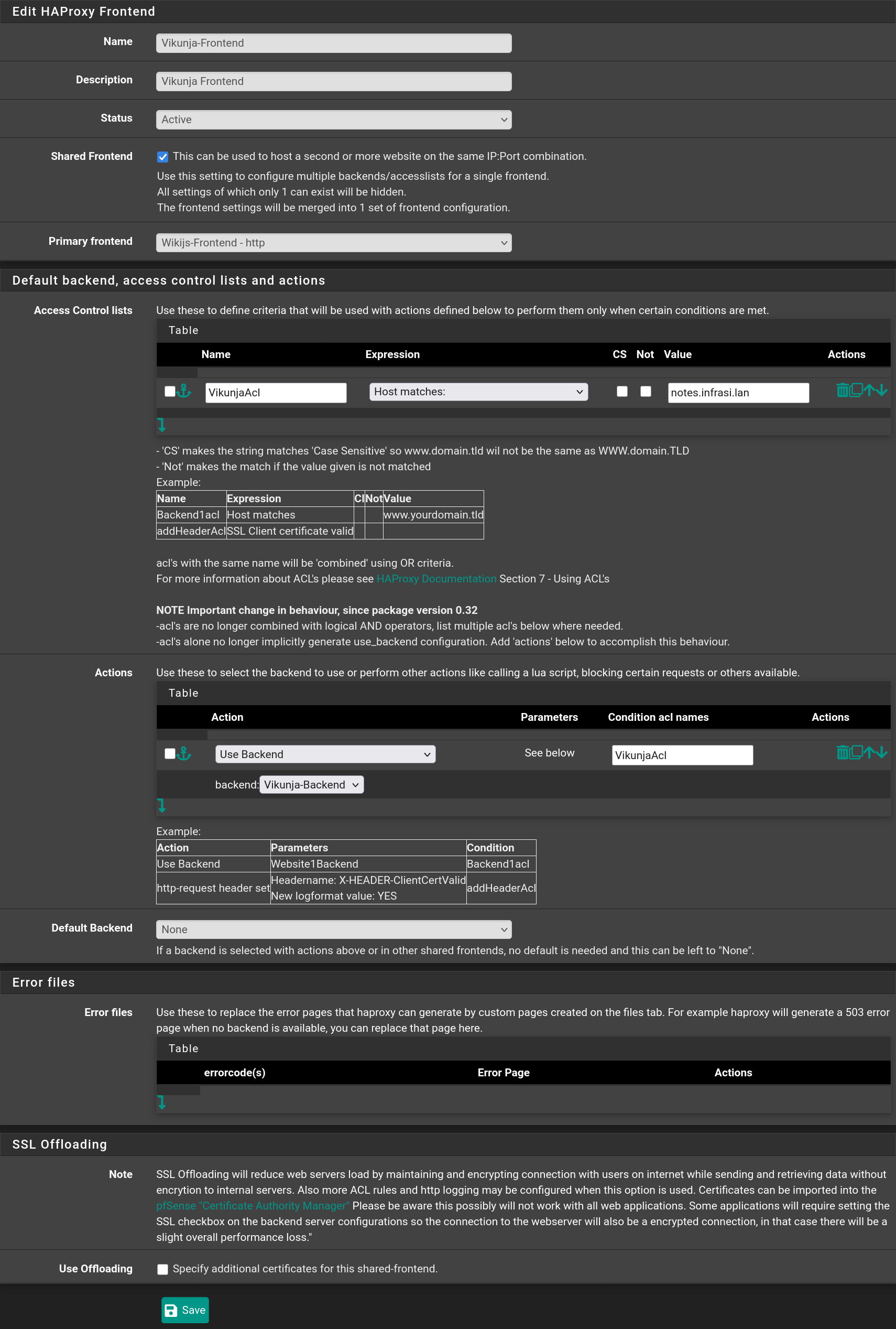
Repeat the process with Vikunja checking the option Shared Frontend selecting the Wikijs-Frontend and click on Save

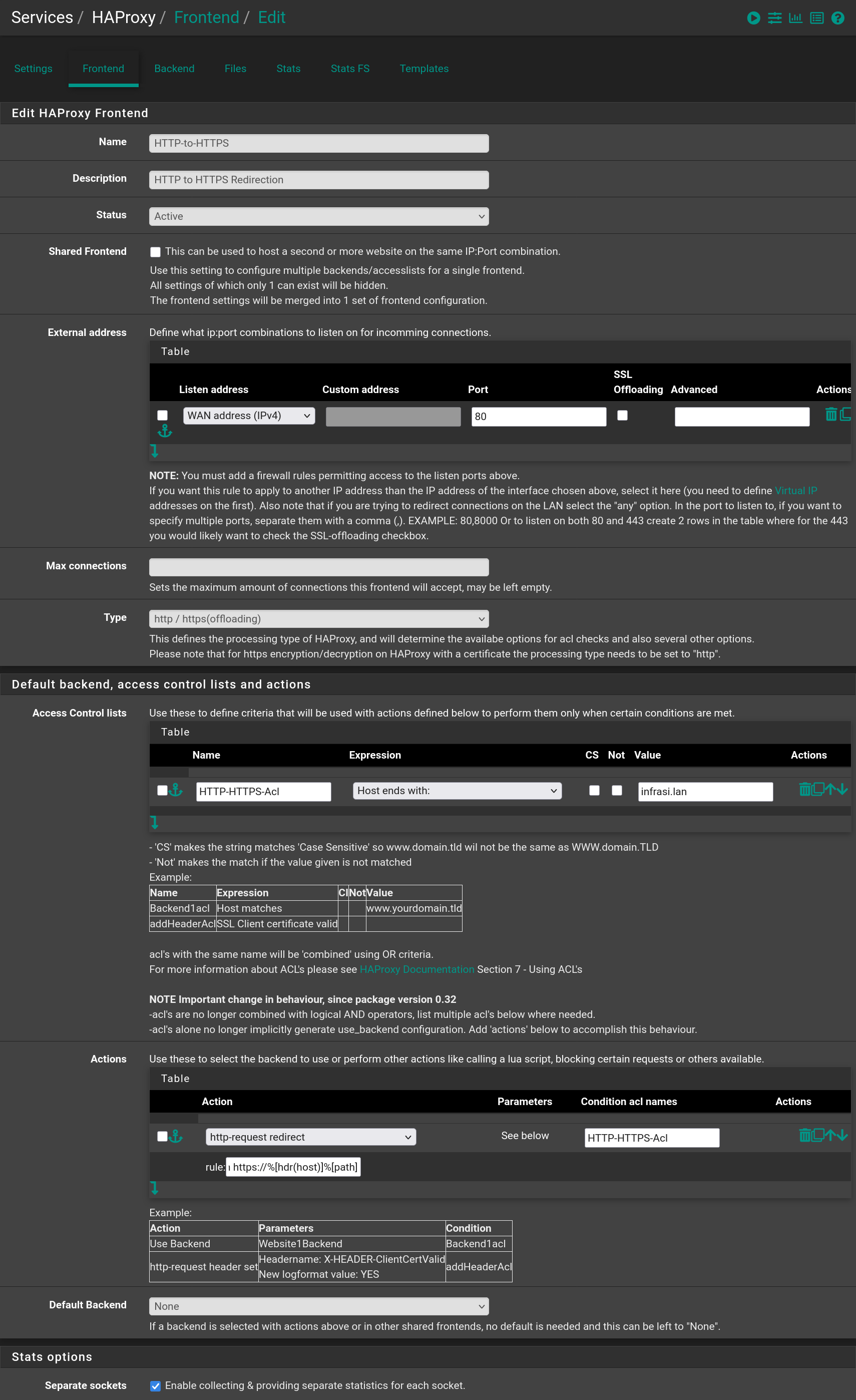
Then add a third frontend to redirect requests from HTTP to HTTPS when in the infrasi.lan domain

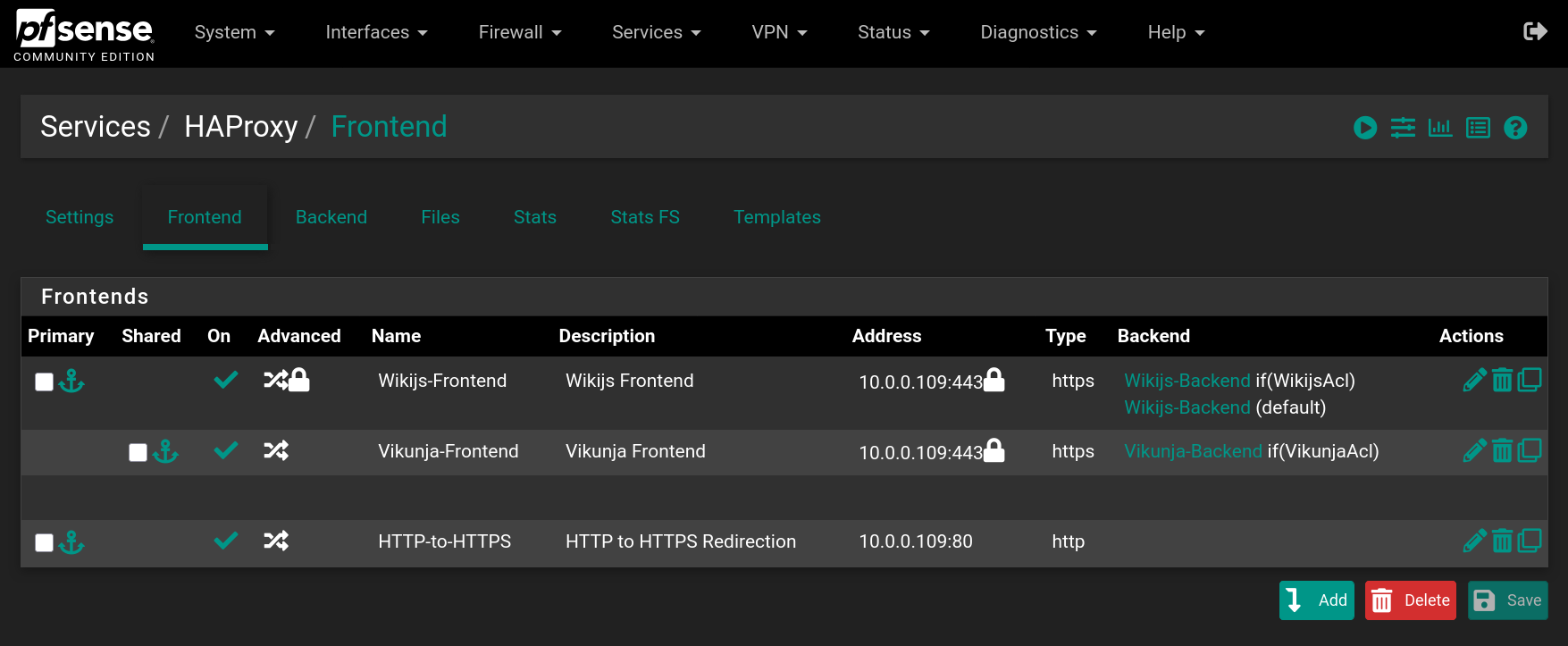
You should have the following frontends

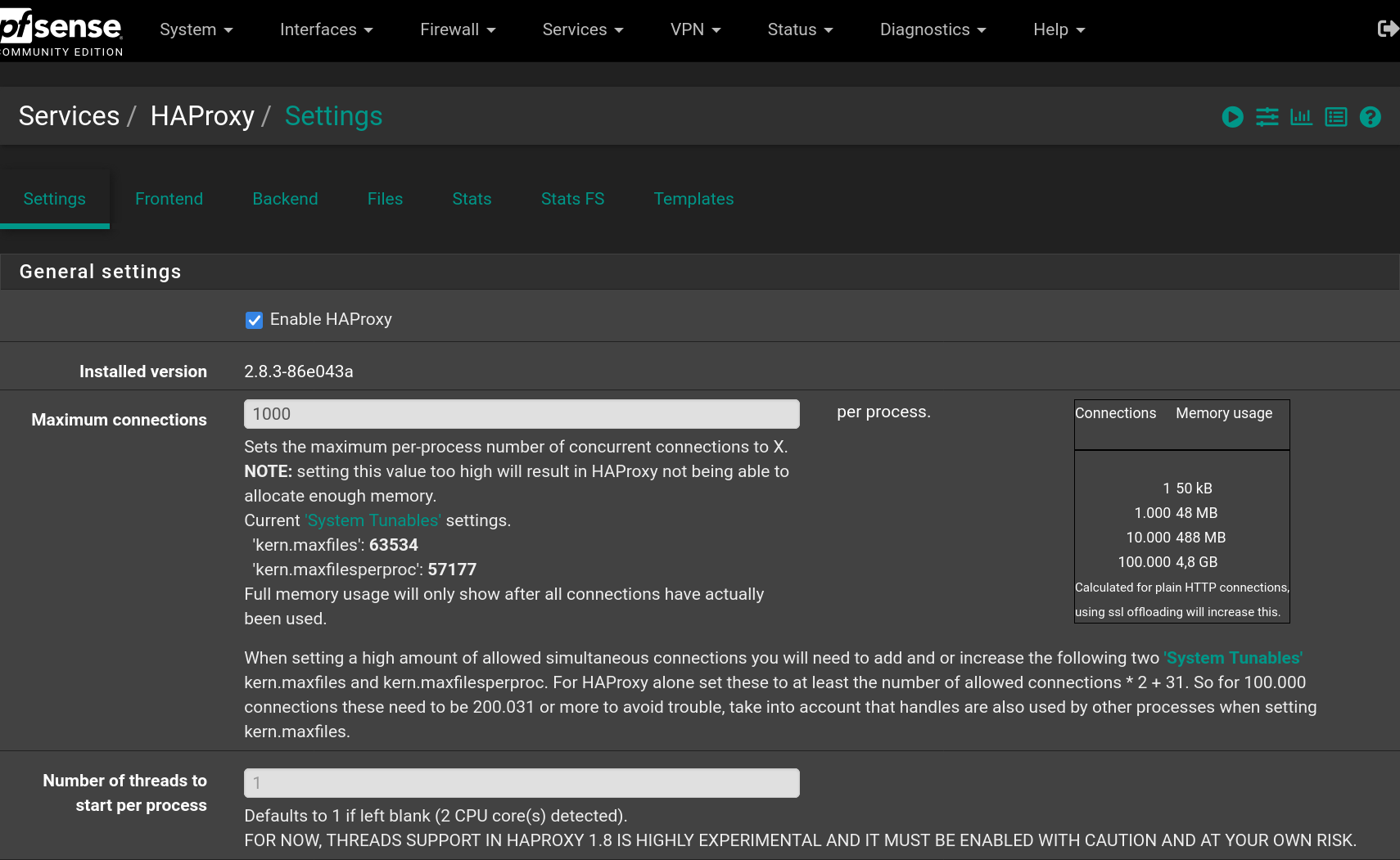
Go to Settings to enable HAProxy filling the form with the following values and click on Save

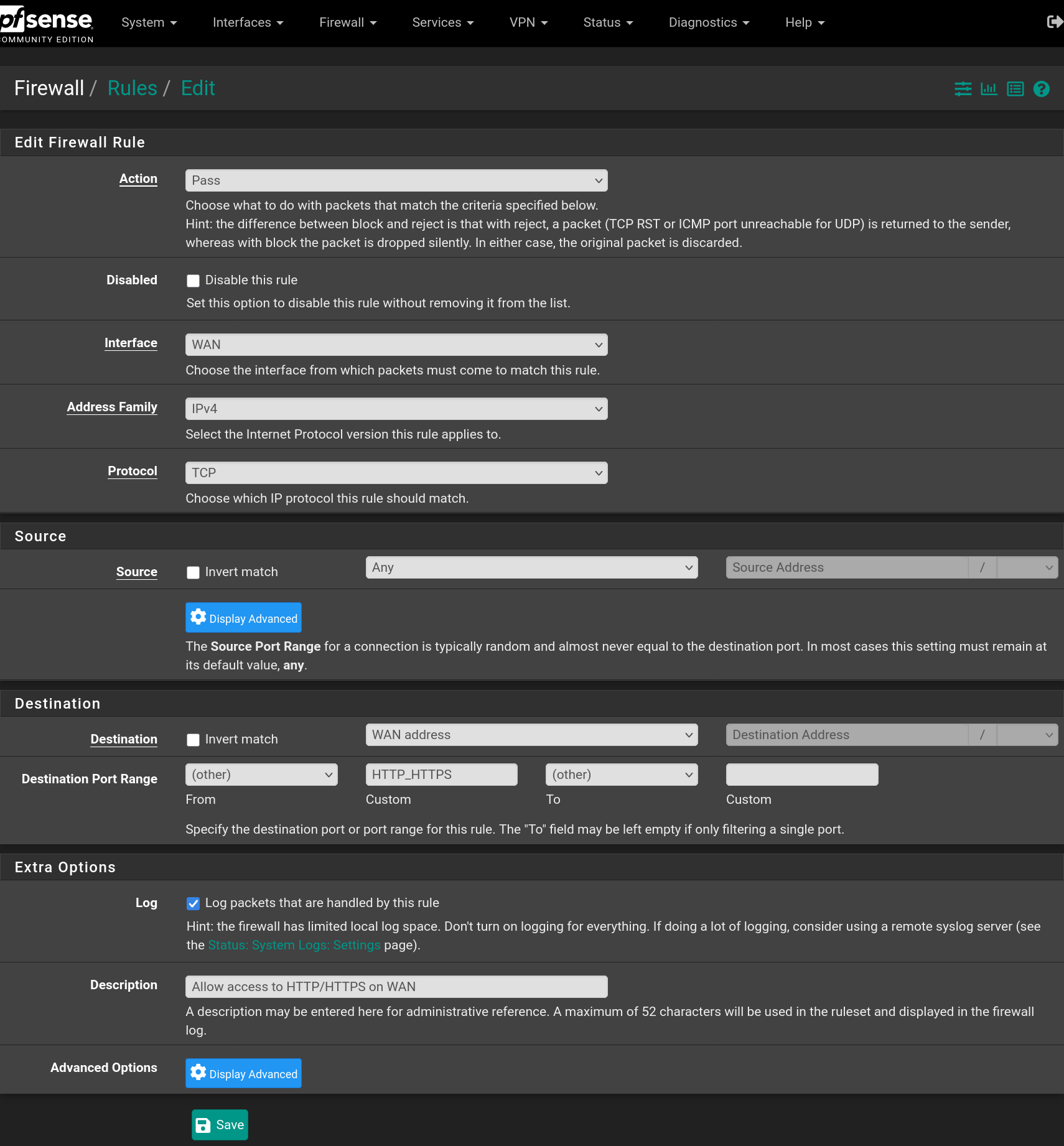
Go to Firewall > Rules > WAN and add a rule to accept IPv4 TCP requests on HTTP and HTTPS ports

Now the websites are available from the outside using HTTPS and the domain name infrasi.lan
ⓘ You need to have DNS entries in the WAN network that points to your WAN address for the
infrasi.landomain and thenotes.infrasi.lanandwiki.infrasi.lansub-domains.