# Reverse Proxy Installation
Antoine de Barbarin
---
## Certificate
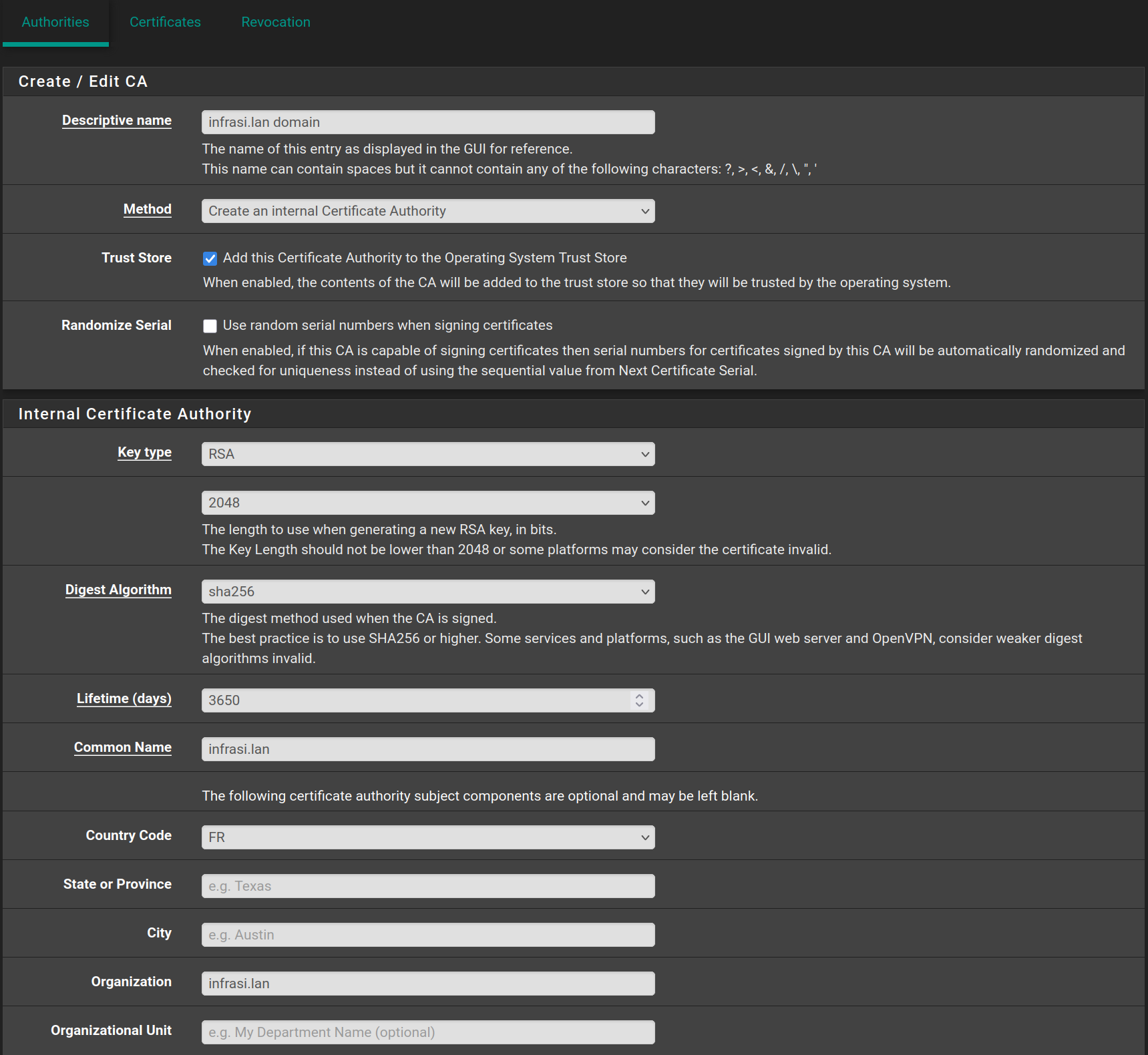
In the **pfSense** web configurator, go to **System > Certificates > Authorities** and click on `Add`, then fill it with the following values and click on `Save`
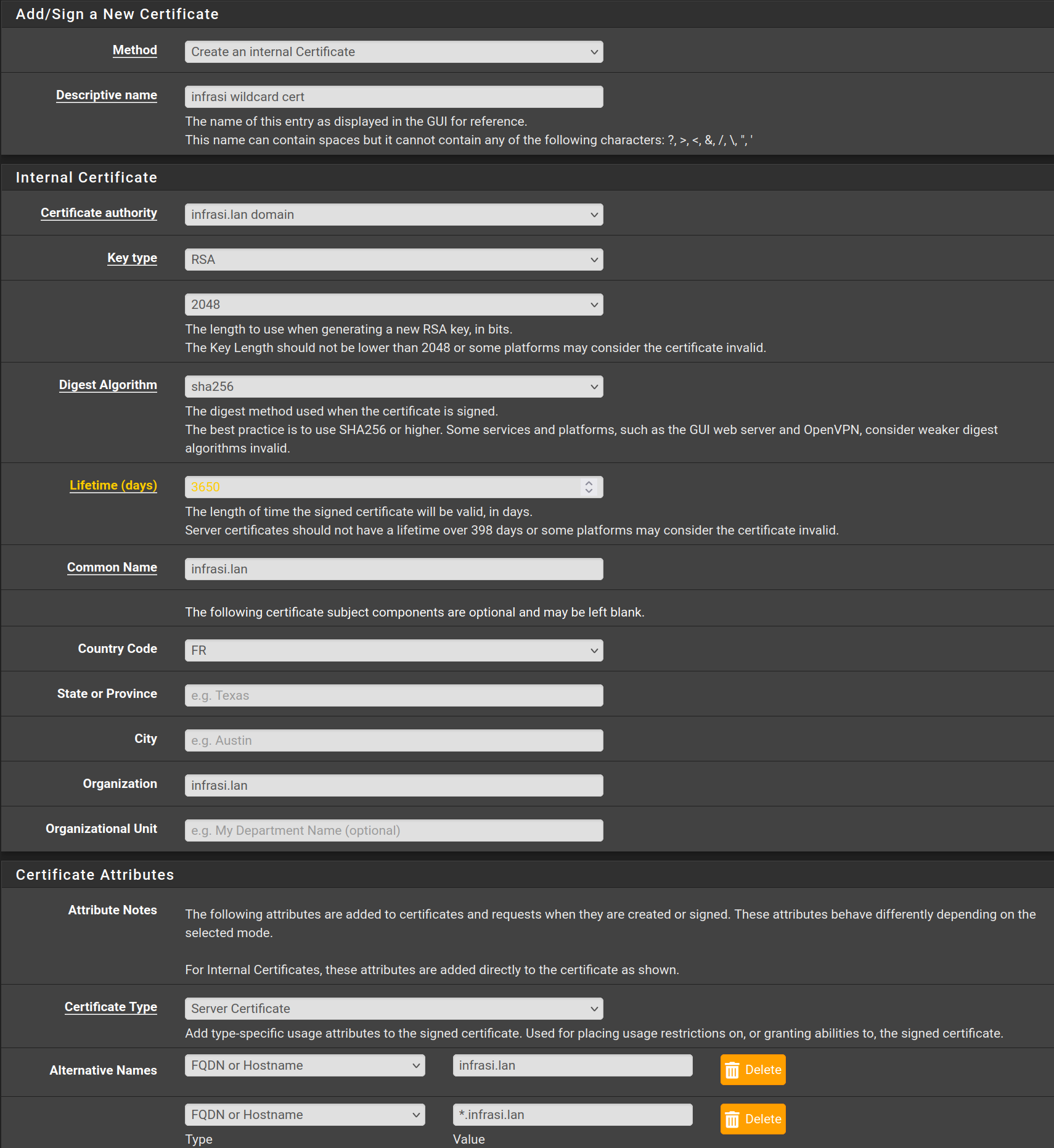
Then go to **Certificates** and click on `Add/Sign` then fill the form with the following values and click on `Save`
---
## HAProxy
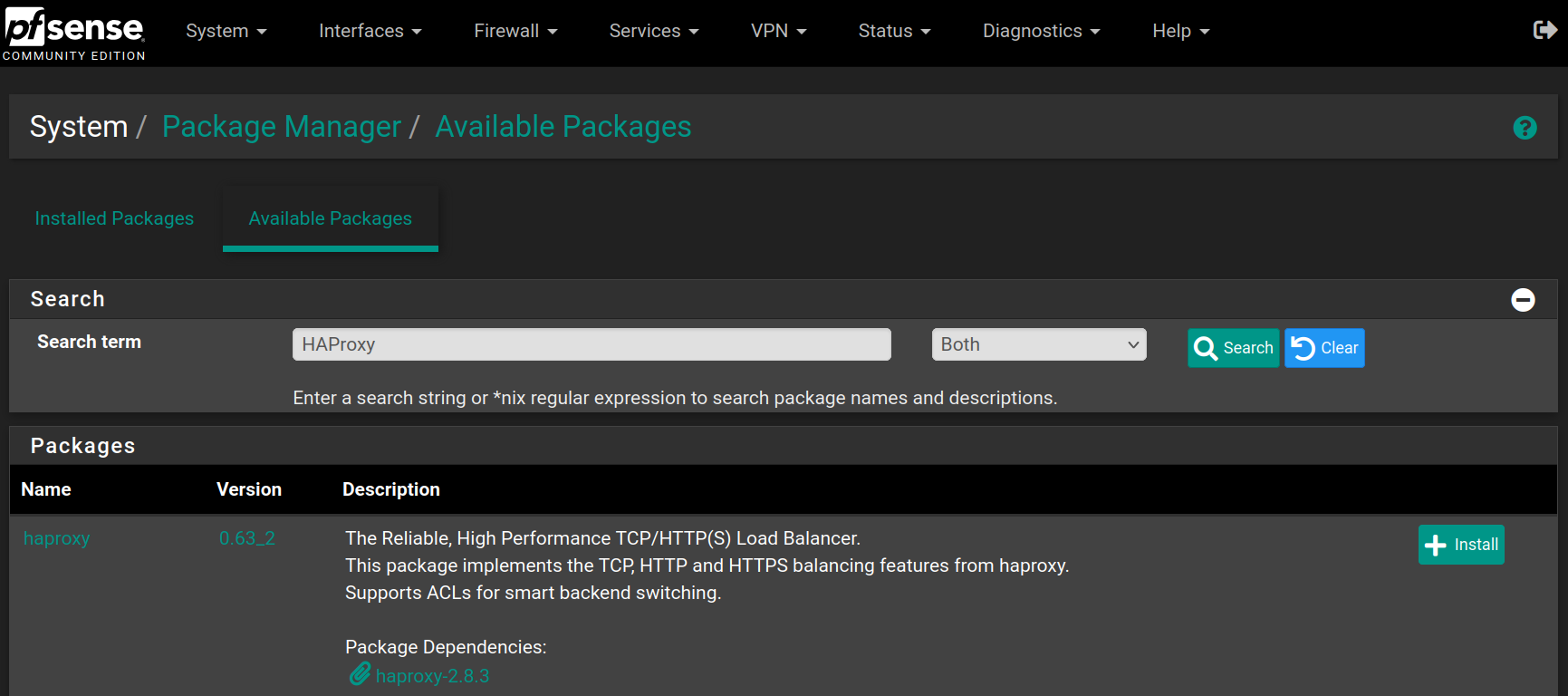
Go to **System > Package Manager > Available Packages** and search for `HAProxy` and click on `Install`
Click on `Confirm` to begin the installation

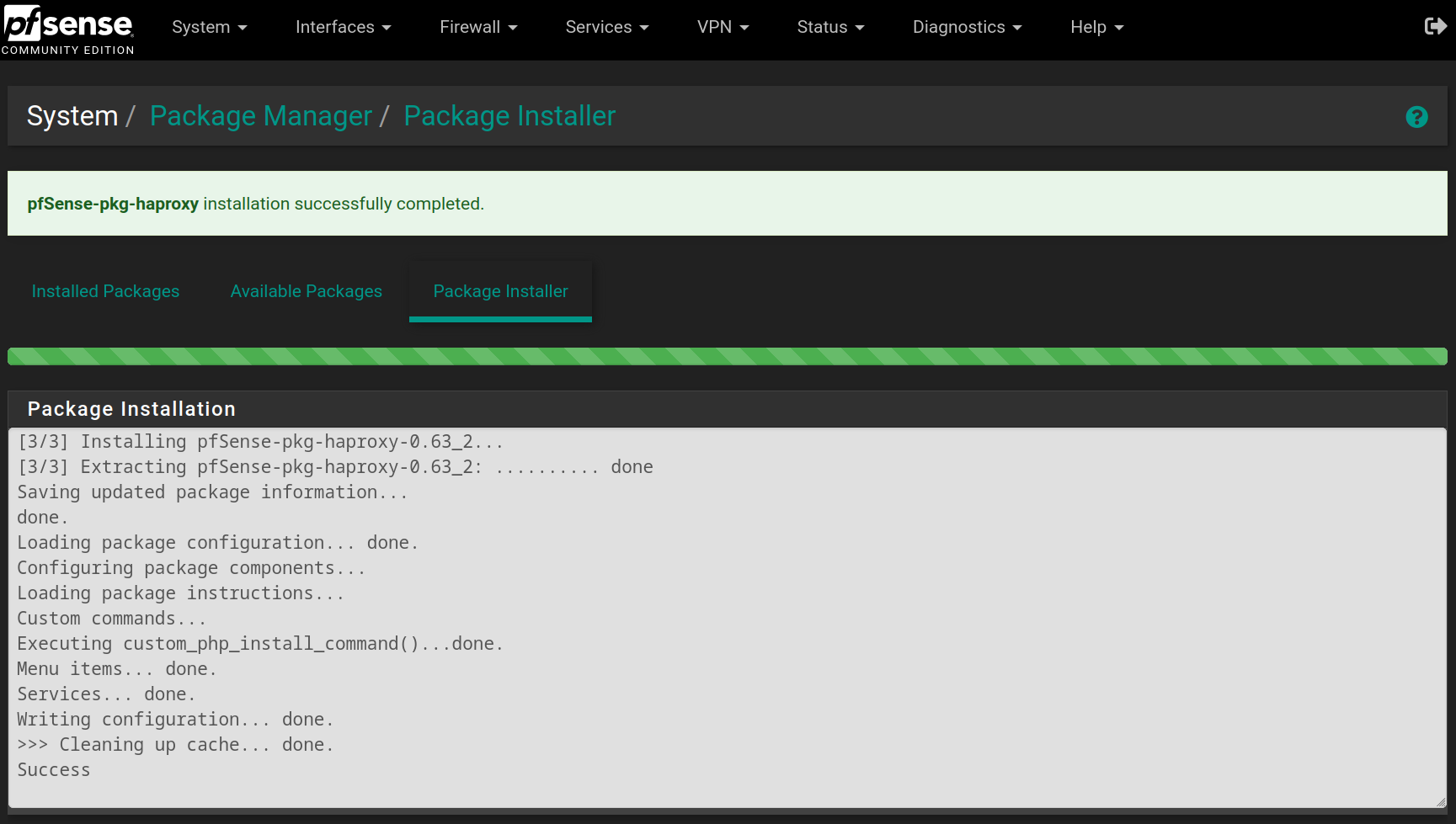
When the installation is complete, you will have the following result
Go to **Services > HAProxy > Backend** and click on  , then fill the form with the following values and click on `Save`
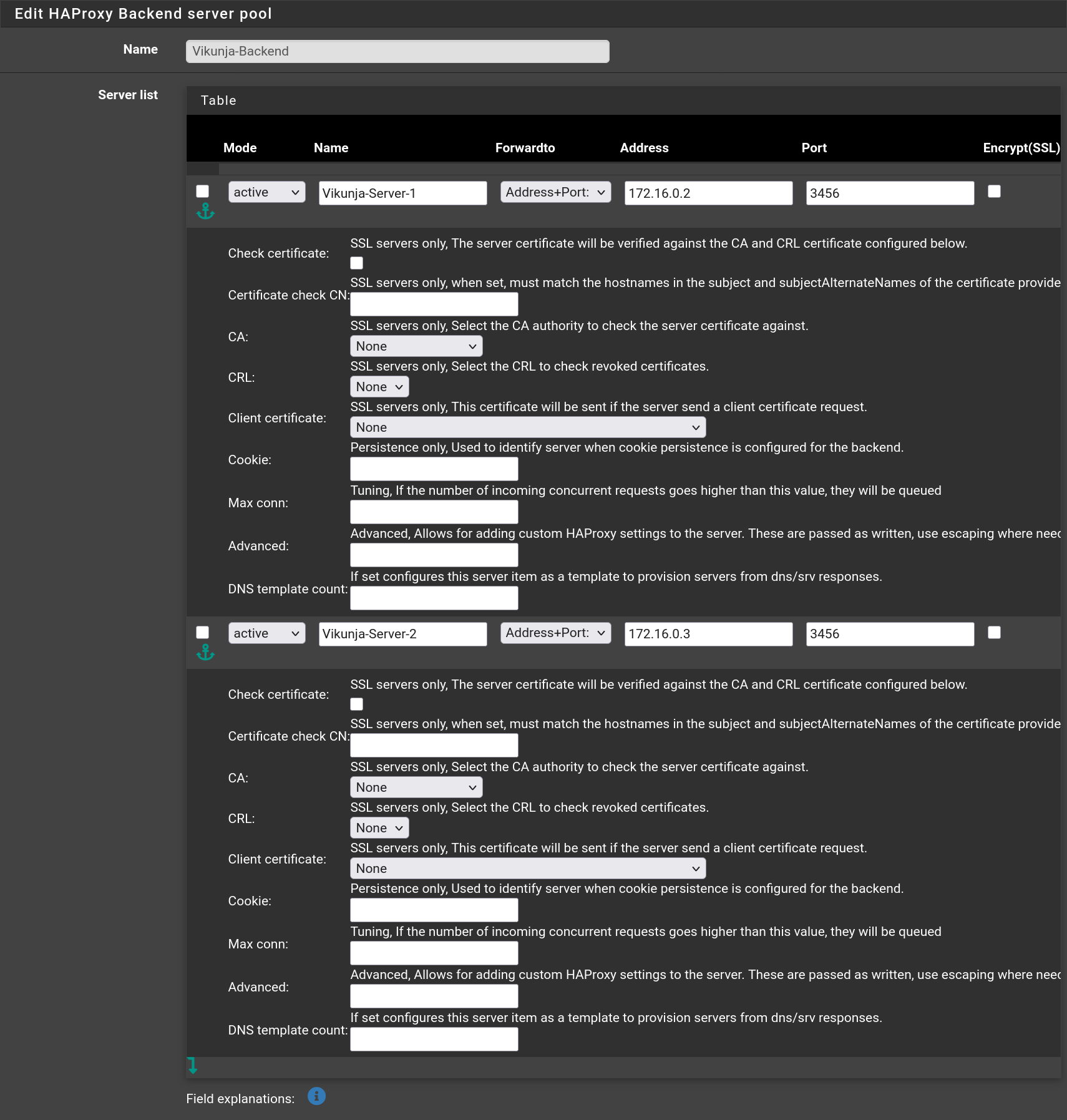
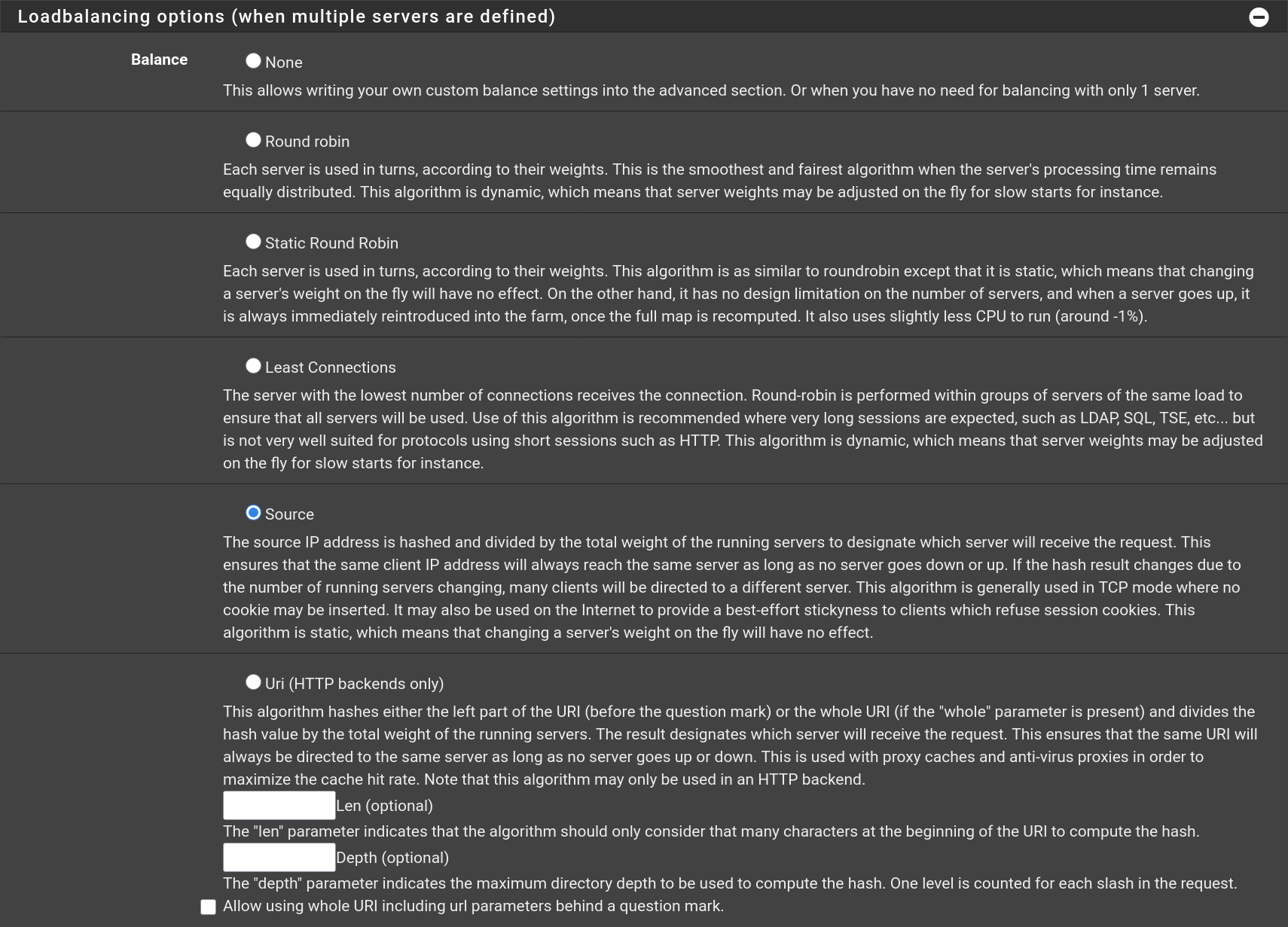
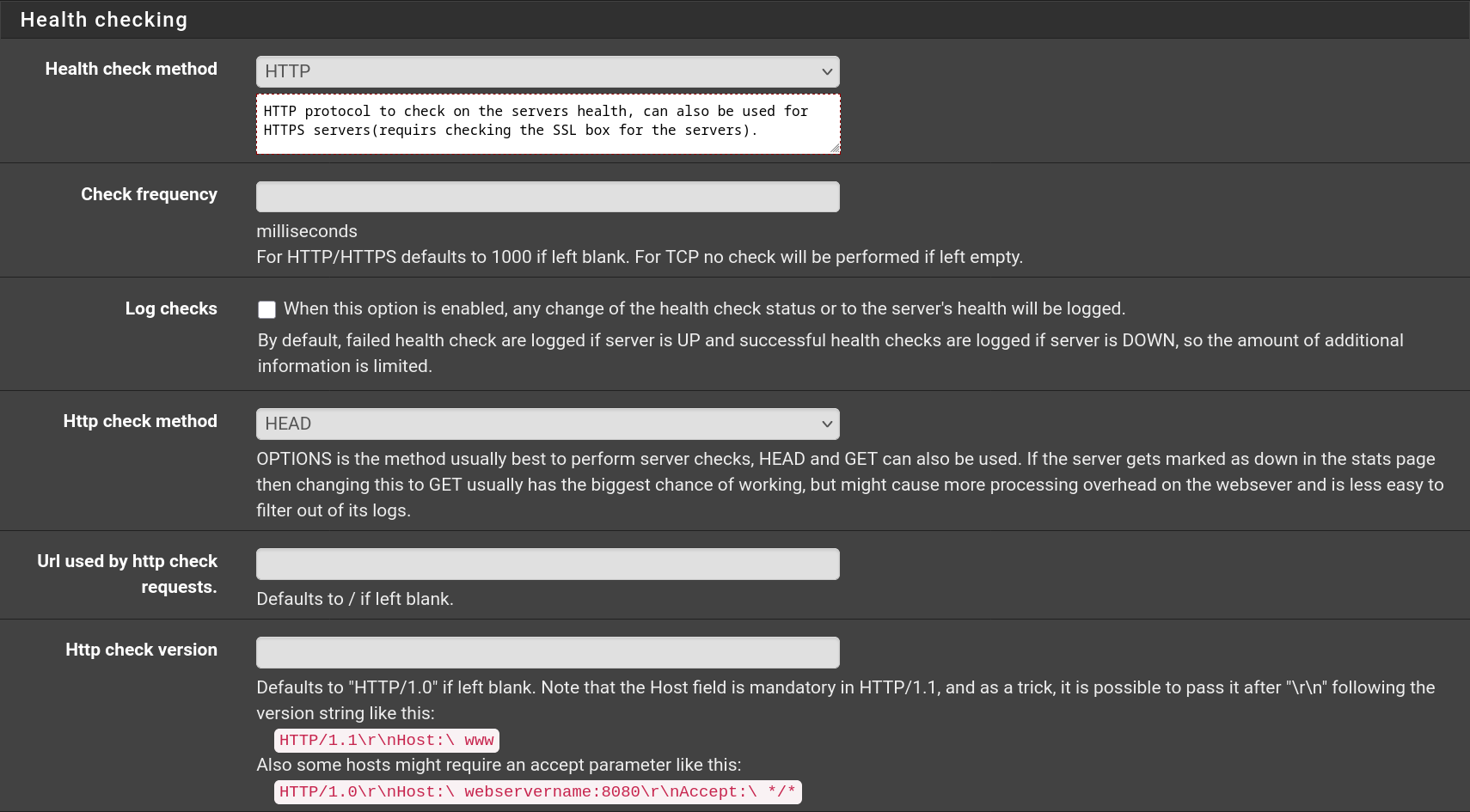
Do the same for **Wiki.js** with the port being `3000` instead of `3456`.
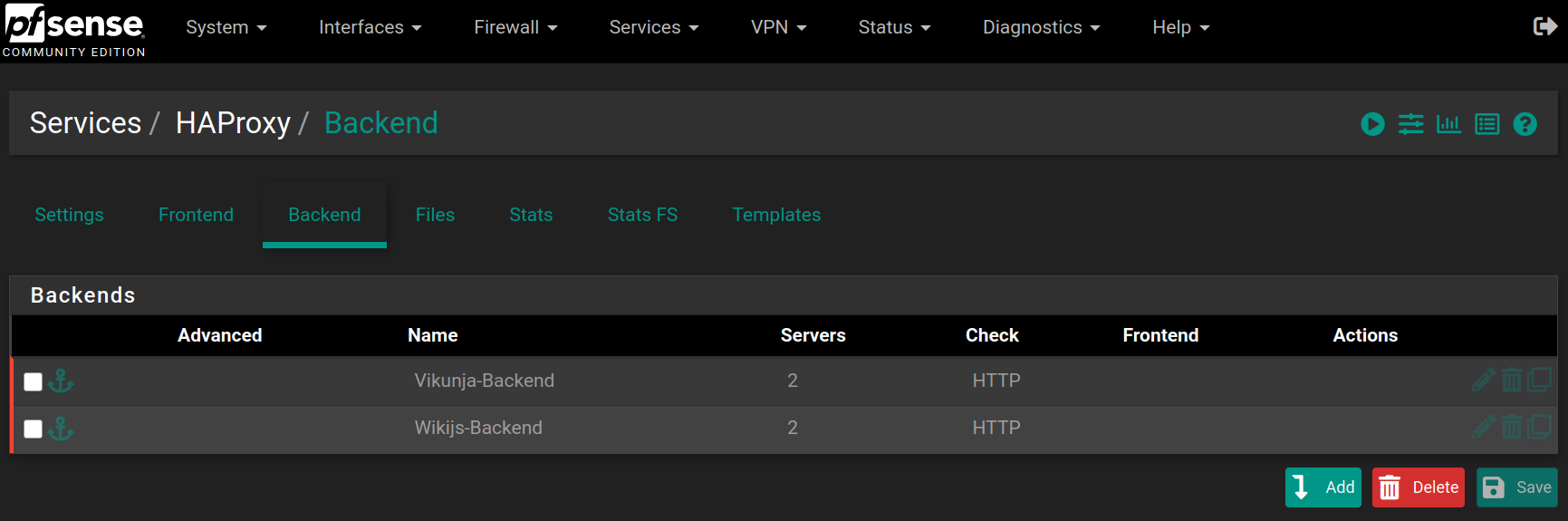
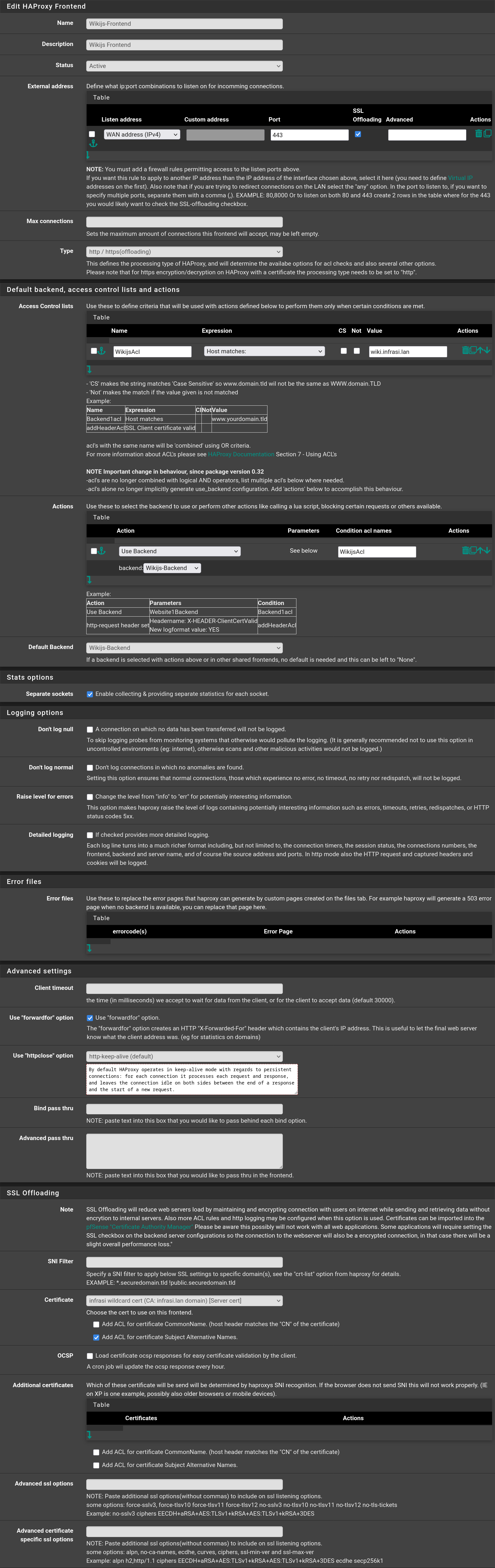
Then go to **Frontend** and click on , then fill the form with the following values and click on `Save`
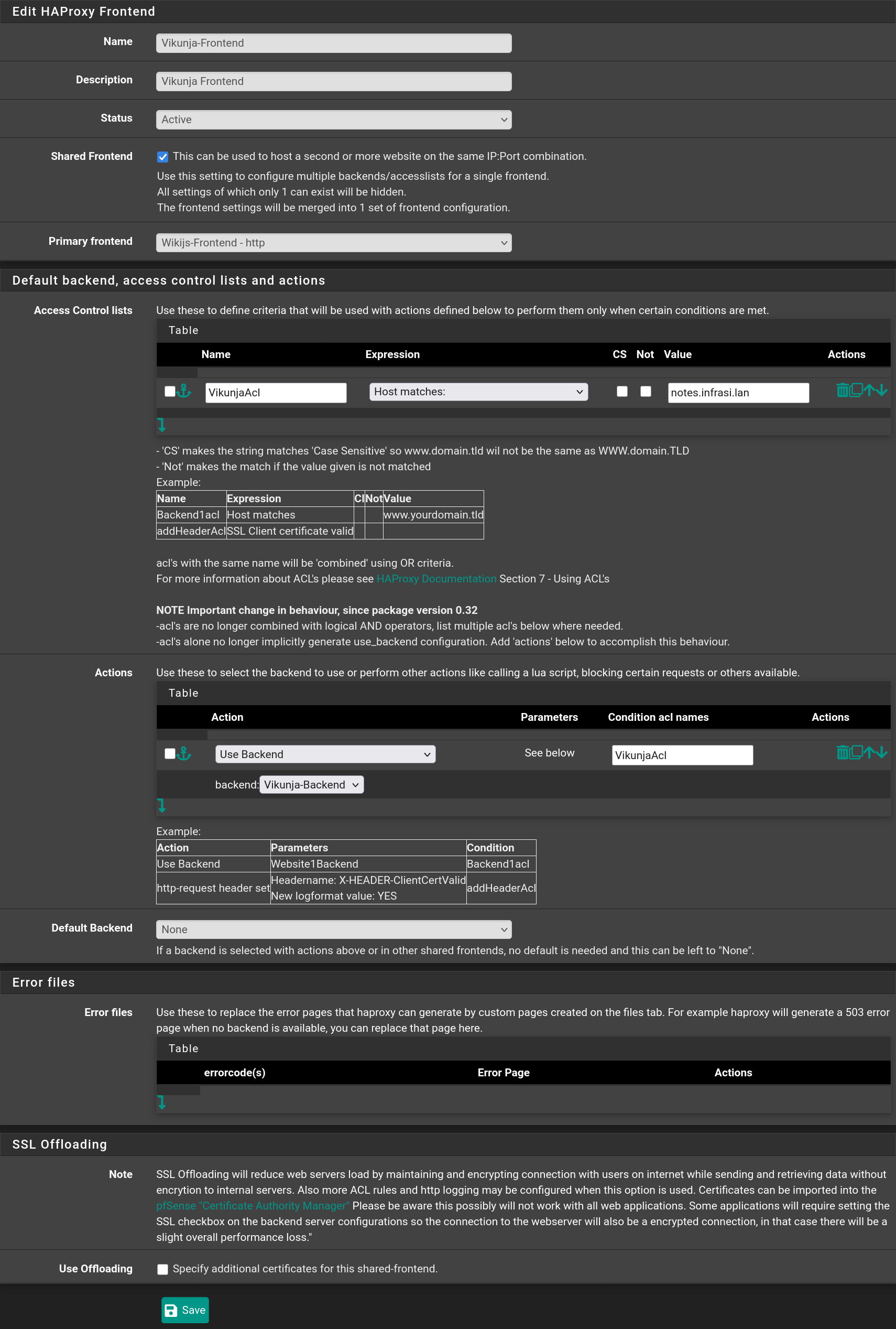
Repeat the process with `Vikunja` checking the option `Shared Frontend` selecting the `Wikijs-Frontend` and click on `Save`
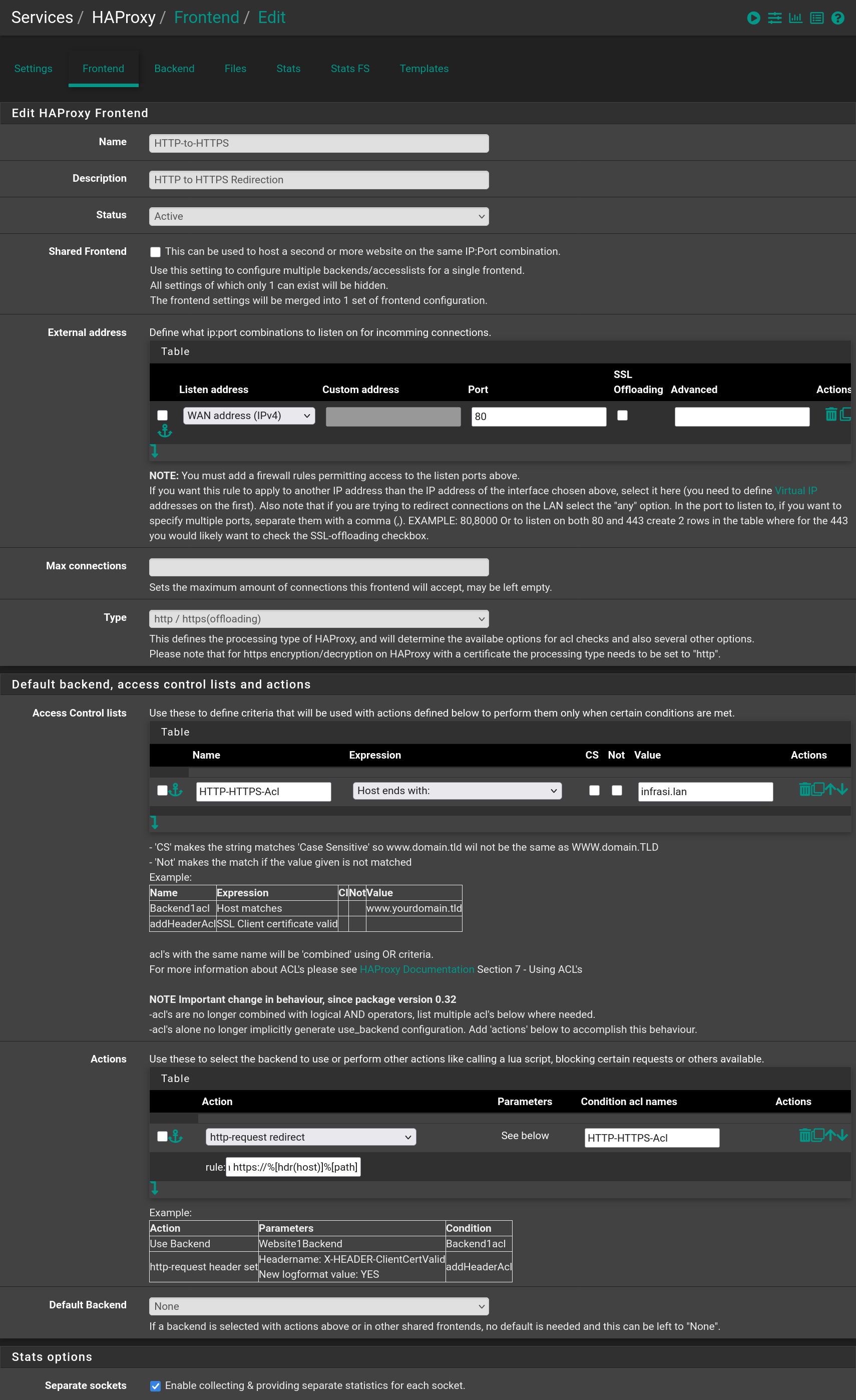
Then add a third frontend to redirect requests from **HTTP** to **HTTPS** when in the `infrasi.lan` domain
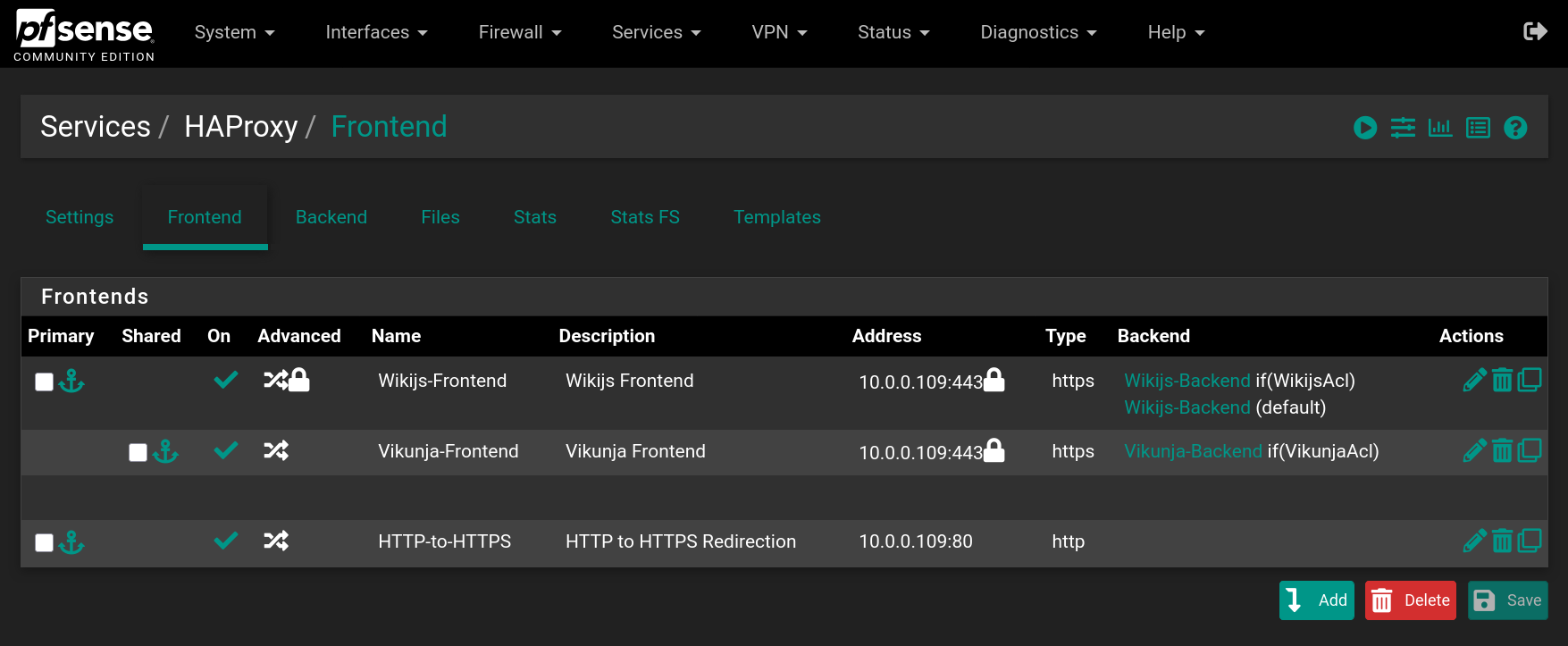
You should have the following frontends
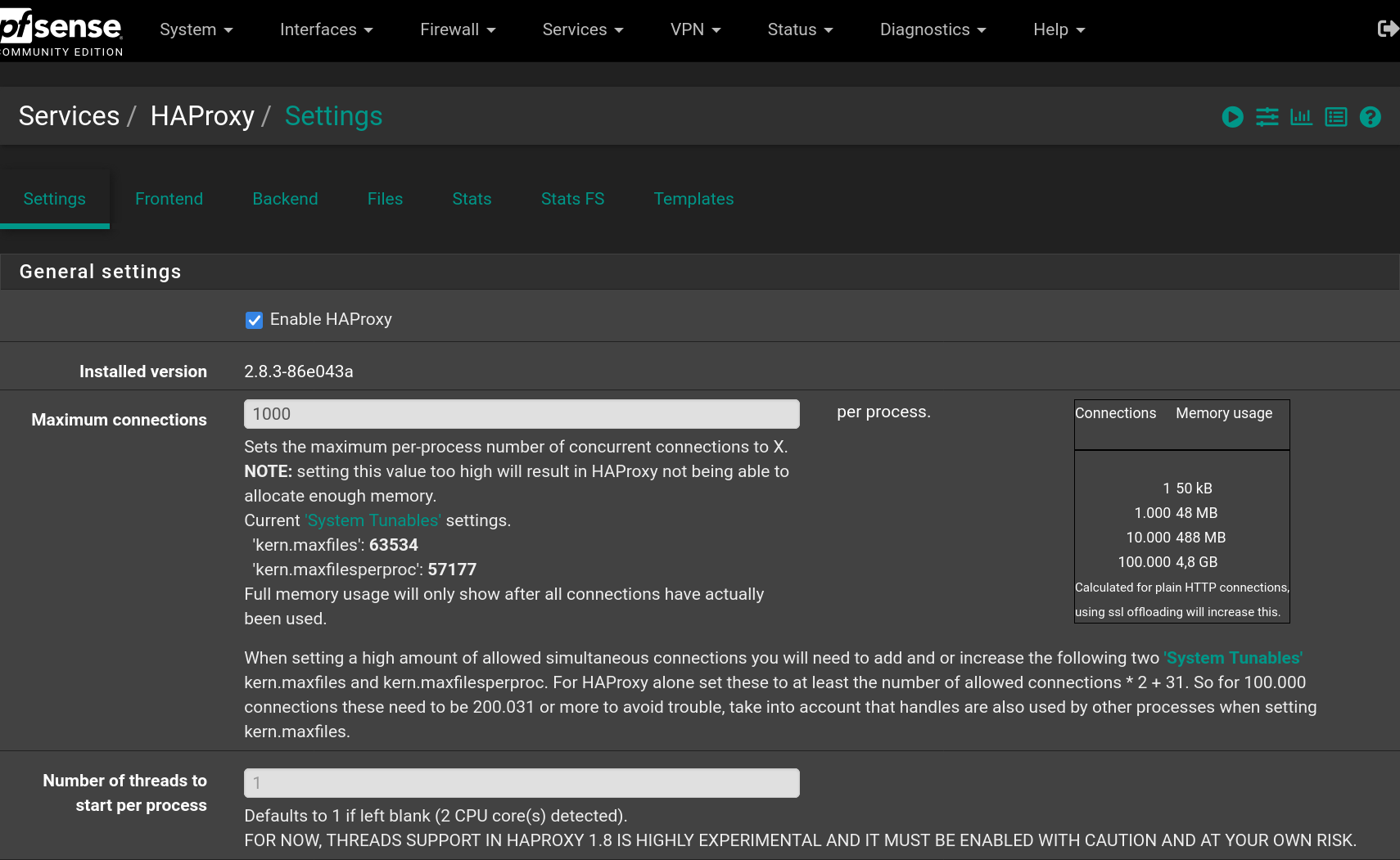
Go to **Settings** to enable **HAProxy** filling the form with the following values and click on `Save`
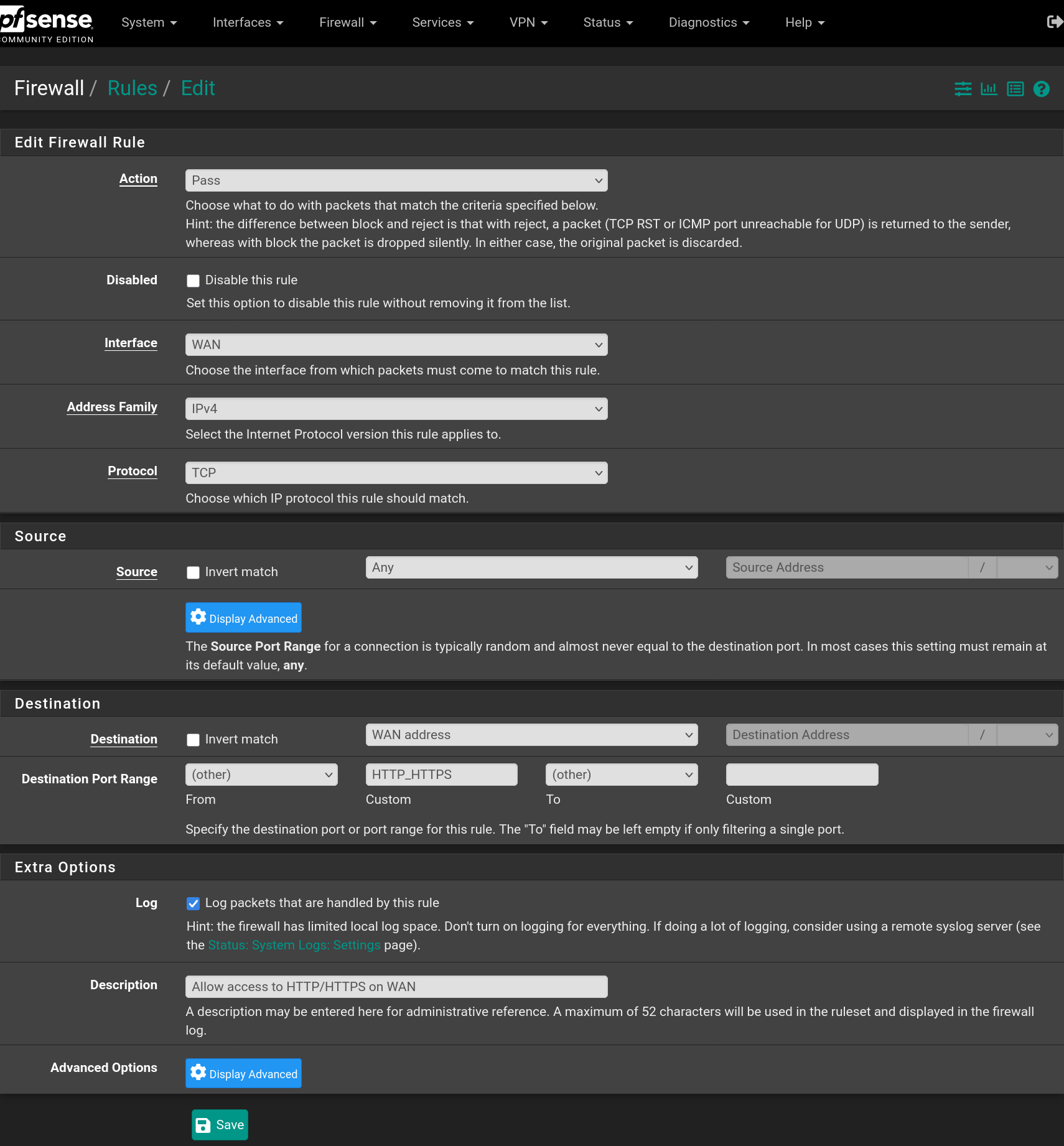
Go to **Firewall > Rules > WAN** and add a rule to accept `IPv4 TCP` requests on `HTTP` and `HTTPS` ports
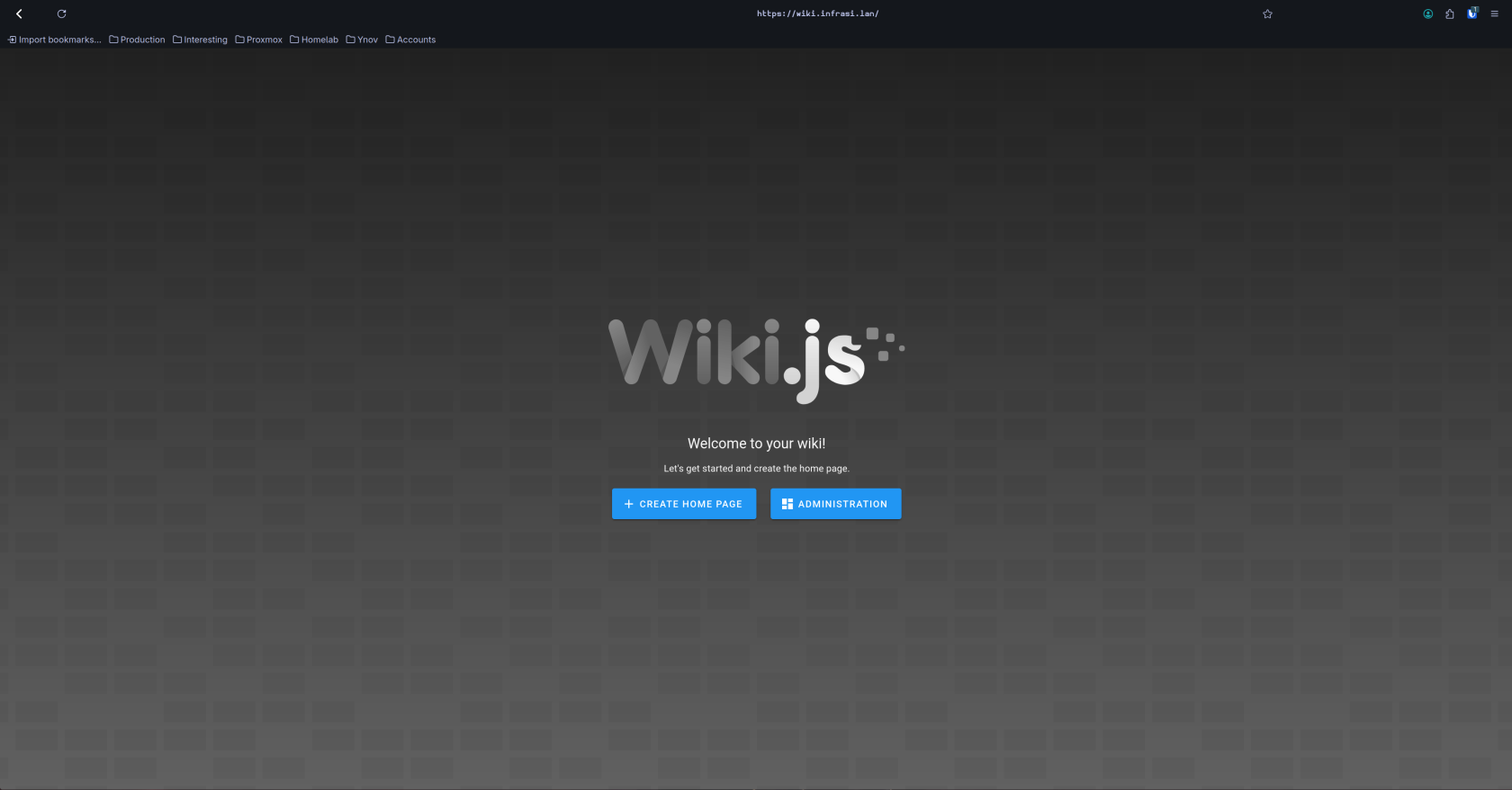
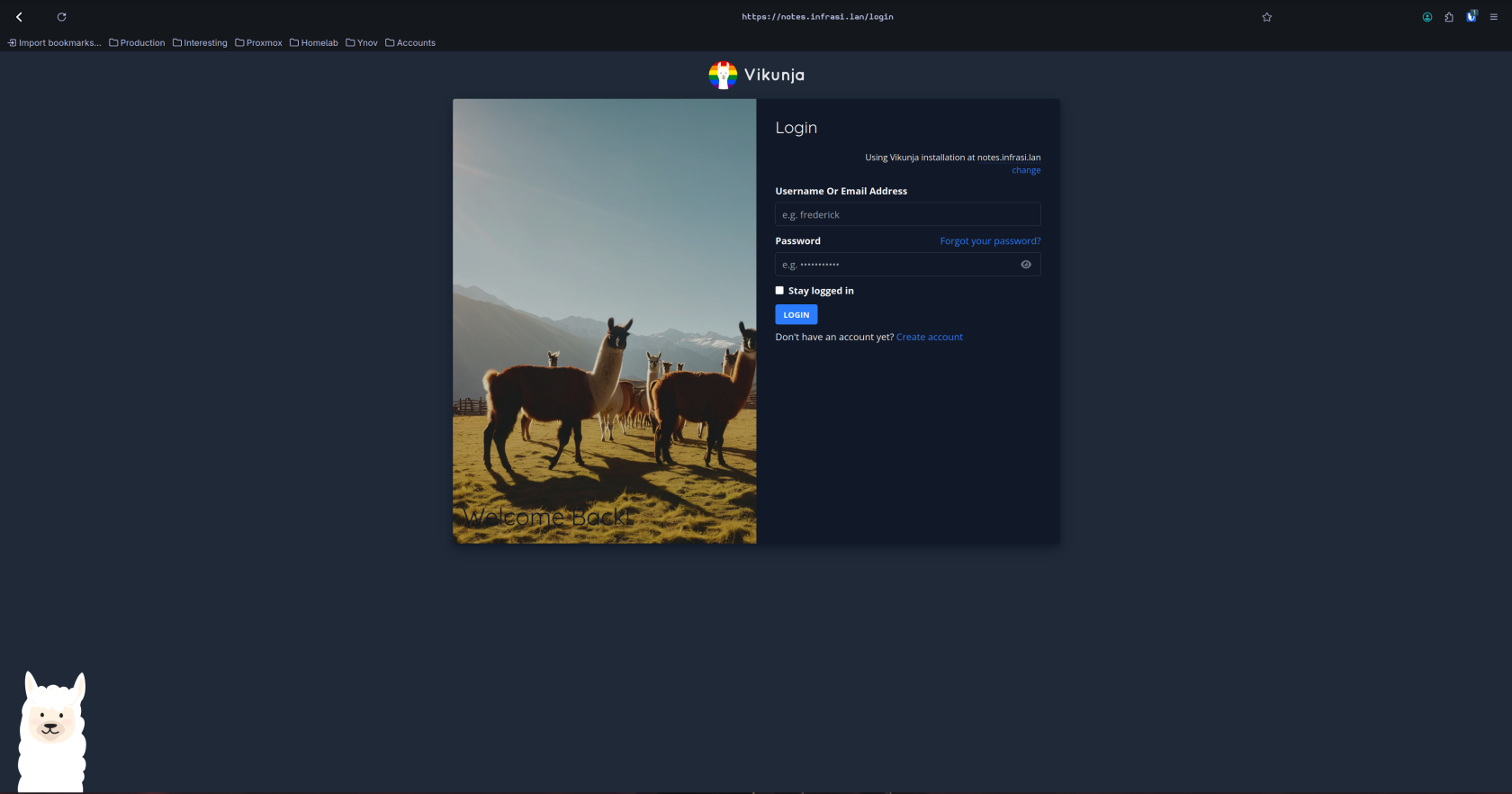
Now the websites are available from the outside using **HTTPS** and the domain name `infrasi.lan`
> ⓘ You need to have **DNS** entries in the **WAN network** that points to your **WAN address** for the `infrasi.lan` domain and the `notes.infrasi.lan` and `wiki.infrasi.lan` sub-domains.
, then fill the form with the following values and click on `Save`



Do the same for **Wiki.js** with the port being `3000` instead of `3456`.

Then go to **Frontend** and click on , then fill the form with the following values and click on `Save`

Repeat the process with `Vikunja` checking the option `Shared Frontend` selecting the `Wikijs-Frontend` and click on `Save`

Then add a third frontend to redirect requests from **HTTP** to **HTTPS** when in the `infrasi.lan` domain

You should have the following frontends

Go to **Settings** to enable **HAProxy** filling the form with the following values and click on `Save`

Go to **Firewall > Rules > WAN** and add a rule to accept `IPv4 TCP` requests on `HTTP` and `HTTPS` ports

Now the websites are available from the outside using **HTTPS** and the domain name `infrasi.lan`
> ⓘ You need to have **DNS** entries in the **WAN network** that points to your **WAN address** for the `infrasi.lan` domain and the `notes.infrasi.lan` and `wiki.infrasi.lan` sub-domains.

